Jogar GTA v roleplay online no seu pc fraco é possivel sim. Mesmo sem ter uma placa de vídeo de ultima geracão. Vou te mostrar como uma boa otimizacão do seu windows e outras dicas muito valiosas já vão te ajudar muito.
Primeiramente, você vai precisar ter o GTA 5 já instalado no seu pc. Caso ainda não tenha, você pode adquirir agora na epic ou na steam.
Os passos pra instalacão são simples e eu vou mostrar abaixo como fazer certinho, sem erros.
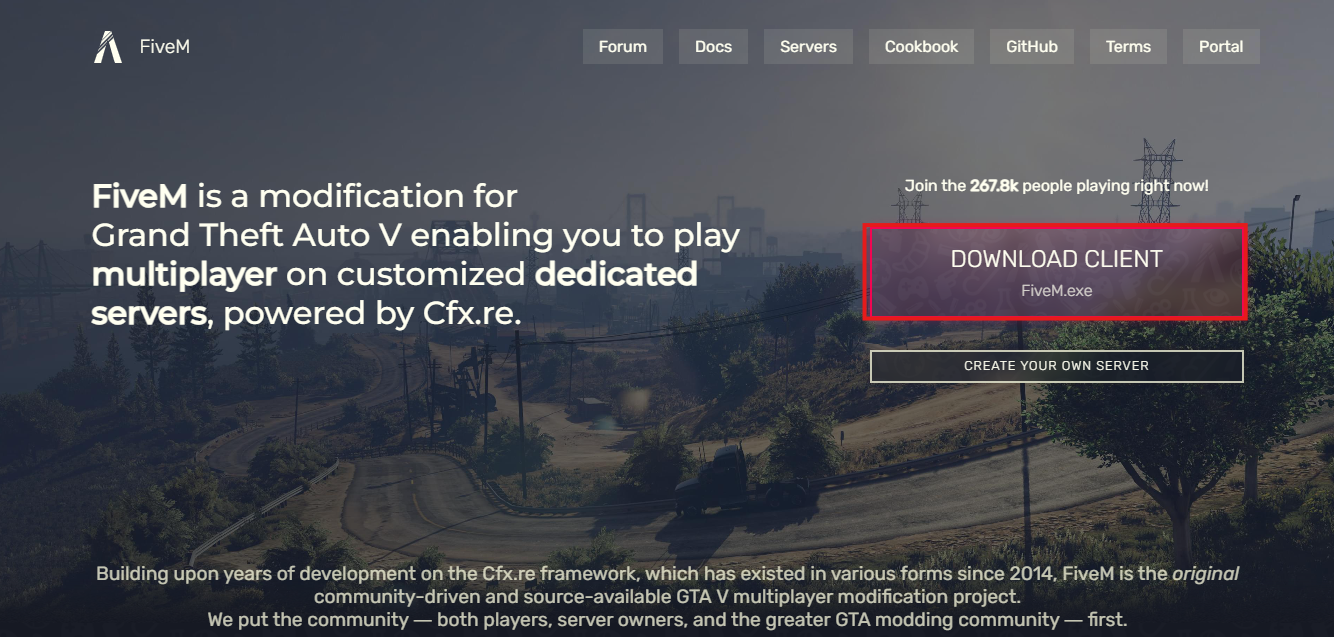
Primeiramente, já vai para o site https://fivem.net. clique em “Download client Fivem.exe:
Na próxima tela, você terá a opcão entre aceitar ou recusar os termos de serviço. Para que você possa baixar, você terá que concordar com esses termos. Leia tudo atentamente e caso você concorde, clique em “Sure, i agree”.
Feito isso, Ao aceitar, o download deve começar automaticamente. Isso pode demorar alguns minutos, dependendo da sua conexão com a internet.
Após o download terminar, você deve ir até a pasta onde o arquivo fivem.exe foi salvo. Feito isso, todas as atualizações do fivem começam a ser baixados para o seu computador.

Quando tiver concluido, vai aparecer uma tela pedindo pra você selecionar onde está a pasta onde o seu GTA V foi instalado. Caso você tenha comprado na steam, se você não customizou, ele se encontra em “C:\Program Files (x86)\Steam\steamapps\common\Grand Theft Auto V\”. E se for na epic, o caminho é “C:\Program Files\Epic Games\GTAV”. Caso o caminho que você indicou esteja correto, o instalador vai passar pra proxima parte, que é verificar a integridade dos arquivos do seu jogo.
Após um tempo verificando, vai aparecer uma janelinha avisando que seus arquivos precisam ser atualizados . Caso você deseje continuar, deve clicar em “"Sim”, para prosseguir com a atualização e baixar o resto dos arquivos.
Pronto, parabéns! tudo certo! Agora que você já tem o GTA V e o FiveM instalado e atualizado no seu computador, vamos ao que interessa: Como otimizar o seu pc fraco para rodar o Fivem:
No fivem, há varias maneiras de fazer isso. Mas vamos ao que é mais conhecido.
A opcão mais recomendada é esvaziar o cache do fivem sempre antes de abrir o executavel do fivem. Pra fazer isso, você precisa apagar o cache da pasta do fivem, ou fazer um comando automático, conforme o que é explicado nesse tutorial aqui.
Outro método muito utilizado é baixar os graficos nas opcões do GTA V. Você deve deixar todos os gráficos e efeitos no minimo. Sem excecão.
No windows, você deve desativar os efeitos visuais. Para isso, vá em “Executar”, digite “sysdm.pcl” e dê enter. Depois clique em Avançado > Desempenho > Configuracões > Clique na opção para “ajustar para obter o melhor desempenho”.
Não se esqueça de ajustar o seu plano de energia também : Vá em Painel de controle > Hardware e sons > Opcões de energia. Aqui você deve selecionar “Alto Desempenho”.
Outras opções extras recomendadas incluem:
-
atualizar o driver gráfico da intel/amd
-
baixar resolucão do GTA V nas opcões do jogo
-
aumentar a prioridade do processo no FiveM para Alta no Ctrl > Shift > Esc > Detalhes
-
Priorizar jogar em cidades com poucas modificações, ou que ja seja otimizada
-
Fechar o discord, navegador, spotify e outros processos enquanto estiver jogando
Pronto! Agora o seu pc está otimizado pra rodar GTA FiveM no melhor desempenho do seu hardware.
Caso tenha alguma duvida ou queira relatar algum problema, é só postar aqui.
Atualizado em 23/10/2025