Hey, since a lot of people think it’s complicated or that it takes too long to open the VPS ports for FiveM, I’ll leave an easy guide here where you won’t need to download anything.
Step 1: Go into the VPS of your FiveM city and paste the following code into Notepad:
netsh advfirewall firewall add rule name="allowFiveM" dir=in action=allow protocol=TCP localport=30120
netsh advfirewall firewall add rule name="allowFiveM" dir=in action=allow protocol=UDP localport=30120
netsh advfirewall firewall add rule name="allowFiveM" dir=out action=allow protocol=TCP localport=30120
netsh advfirewall firewall add rule name="allowFiveM" dir=out action=allow protocol=UDP localport=30120
netsh advfirewall firewall add rule name="allowTxAdmin" dir=in action=allow protocol=TCP localport=40120
netsh advfirewall firewall add rule name="allowTxAdmin" dir=out action=allow protocol=TCP localport=40120
Then save the file with any name, but at the end, put “.bat”
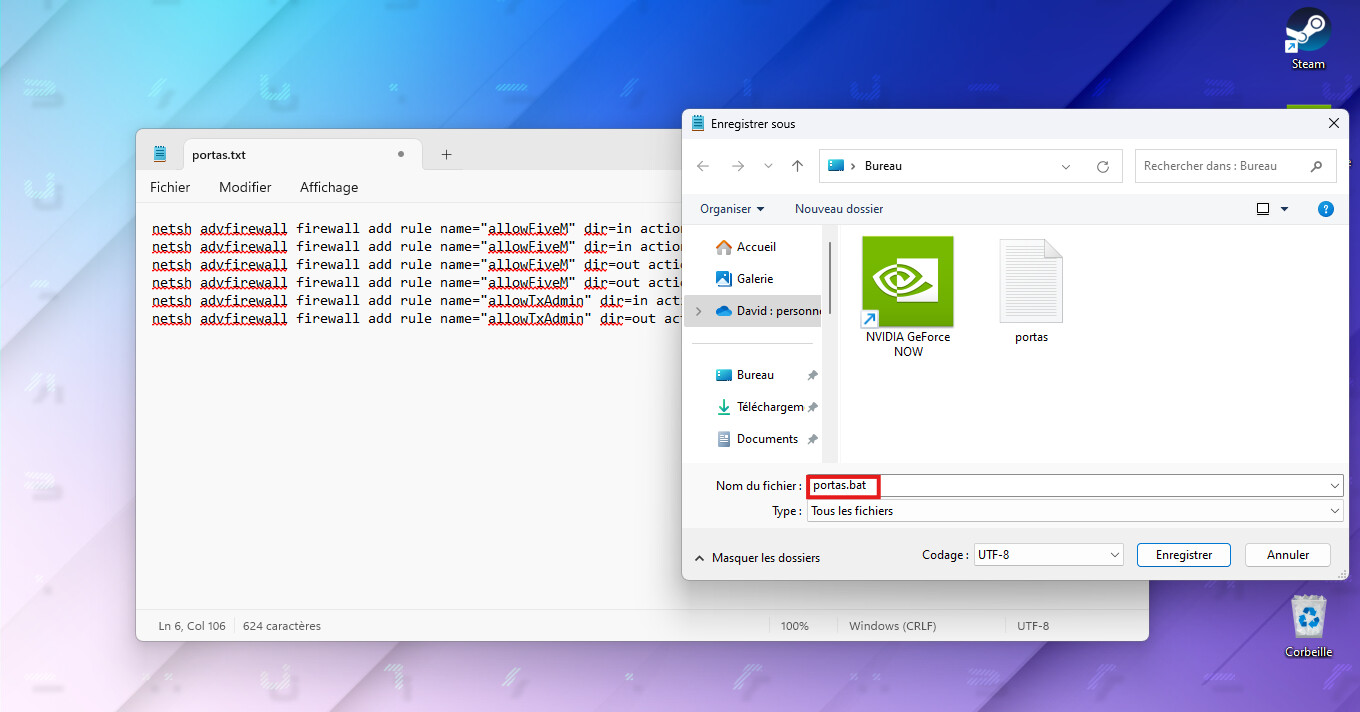
Done! Now just run the file in the location where you saved it and the ports needed to open your city to the public will be created automatically.
The ports we opened are: 30120 and 40120 TCP and UDP. In some cases, it will also be necessary to open 8080.
Oh! And if you’re using a VPS on Linux and not on Windows, you’ll have to use this command in your terminal:
sudo ufw allow 30120
sudo ufw allow 40120
I hope this helped.